Convert
Converts between objects of different data types, for example string to number or date.
You should also use this action if you need to convert JSON, streams, byte arrays, collections or business objects / custom types.
For example, you can use this action to convert a JSON string to an object, such as a custom type.
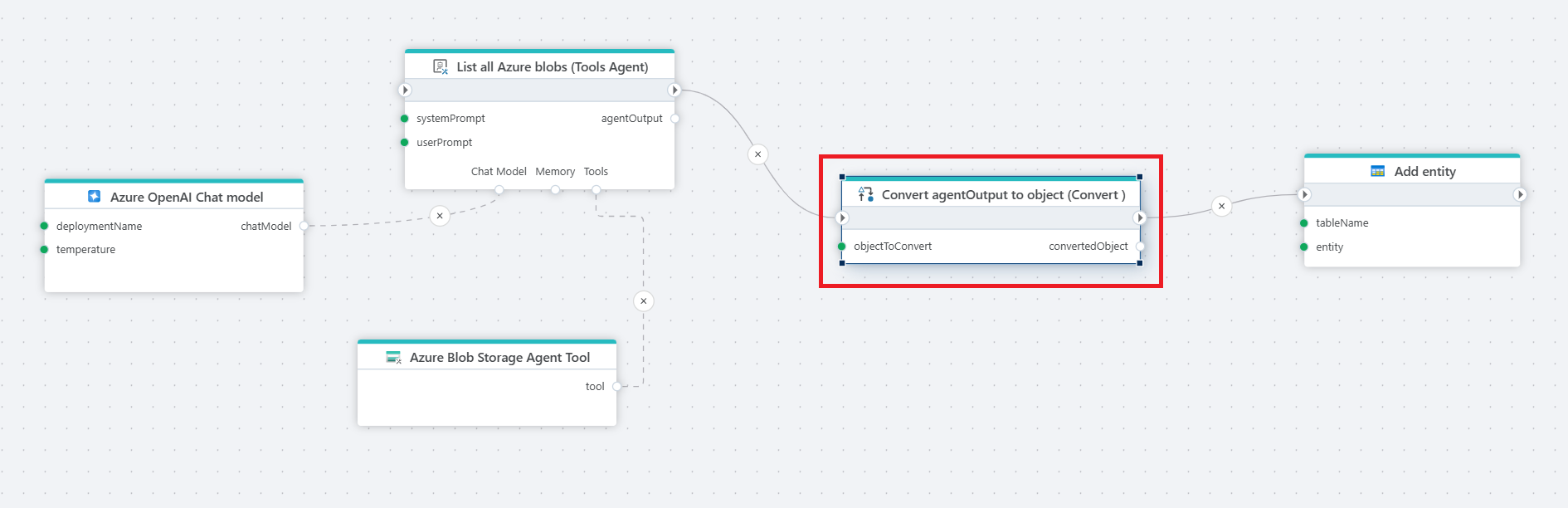
Example 
This flow illustrates using the Tools AI Agent to retrieve a list of all blobs in an Azure Storage container and return the result as a JSON string. We then convert the returned JSON string to a business object containing the list of files so we can add it to the table.
Properties
| Name | Required | Description |
|---|---|---|
| Title | No | The title or name of the action. |
| Object to convert | Yes | The object (e.g. variable or expression) that should be converted. |
| Type to convert to | Yes | The target data type the object should be converted into. |
| Result variable name | No | The name of the variable to store the converted value. |
| Description | No | Additional notes or comments about the action or configuration. |
Returns
Type: object
The action returns the converted value, typed according to the target type specified in the action configuration. The returned output may be a string, int, decimal, bool, DateTime, Guid, or any other supported conversion target, depending on the selected type.
The Convert action supports the following conversions:
| From type | To type |
|---|---|
| Any built-in .NET Type | Any built-in .NET type |
| Custom type | JSON |
| Anonymous type | Custom type |
| String | byte array (byte[]), encoding: UTF-8 (default), Base64, Unicode (UTF-16), BigEndianUnicode (UTF-16 BE) |
byte array (byte[]) |
String, encoding: UTF-8 (default), Base64, Unicode (UTF-16), BigEndianUnicode (UTF-16 BE) |
| Stream | byte array (byte[]) |
| Object | JSON string encoded as UTF8 byte array |
| String | DataTable |
| IEnumerable |
DataTable |
| String | Custom type |
| UTF8 JSON Stream | Custom type |
| UTF8 JSON Stream | .NET built-in type |
| UTF8 JSON string | Custom type |
| UTF8 JSON string | .NET built-in type |
| DataTable | Supported collection types for deserialization |
Example - Convert JSON to object
To convert a JSON string to an object, you can use the Convert action by passing in the JSON string as the argument and specifying which object type it should be converted to.
- In the Main Flowchart, define a custom type
- Add a
Convertaction to the Flow - Select the JSON string and input (Object to convert)
- Select your custom type as
Type to convert to.
When defining the custom type, remember:
- The property names in the custom type must match the property names in the JSON string. The converter is case insensitive, so casing is not required to match.
- You can omit the properties from the JSON string that you don't care about.
- If the JSON string represents multiple, nested objects, define all types in the Advanced tab by writing C# code instead of using the visual editor.