Log
This is a utility action for writing messages to the log.

Example

This flow automates the process of converting a DOCX document to a PDF, uploading the result, and logging the outcome.
Properties
| Name | Required | Description |
|---|---|---|
| Title | No | The title or name of the action. |
| Data to log | Yes | The data to log, which can be a hard coded value or an object (such as a variable). |
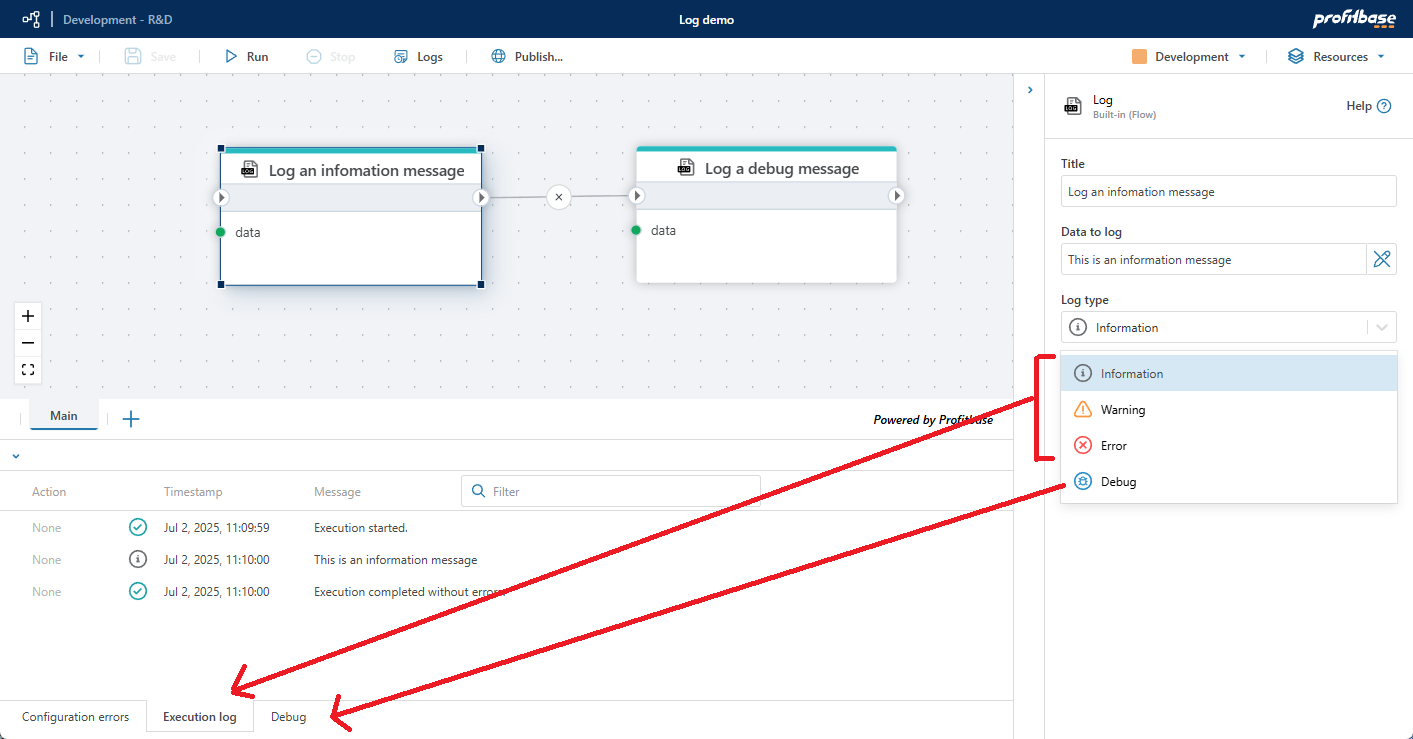
| Log type | No | The log type. Information, Warning, and Error are displayed in the Execution log. Debug is displayed in the Debug log. Messages in the Debug log are meant for development and will only be displayed in the Designer while the session is open. If you close the Designer, or open a different Flow, the Debug messages are gone. |
| Description | No | Additional notes or comments about the action or configuration. |
Note
Information, Warning, and Error messages are displayed in the Execution log, while the Debug messages are displayed in the Debug log.