Copy Into
Copies data from a staged file into a specified Snowflake database table.
Use this action when your data is already staged as a file (CSV, JSON, or Parquet) in an external location such as Azure Blob Storage or Amazon S3. For inserting data that is already loaded into memory or streaming from another source, use Insert rows.
A stage is a location within or outside Snowflake (such as Microsoft Azure Blob storage or Amazon S3) where files are stored before they are loaded into Snowflake. This action retrieves data from the selected stage, applies any specified transformations, and inserts it into the target database table, supporting various file formats (CSV, JSON, Parquet) and customizable field mappings.
Note
- A Snowflake connection must be configured.
- The destination stage must already exist (e.g. an Azure Blob Storage or S3 stage).
- The destination table must already exist in Snowflake.

Example 
This flow creates a CSV stream from input data using Create CSV file as stream, uploads it to a stage with Upload Blob, and then loads the data into a Snowflake table.
Properties
| Name | Required | Description |
|---|---|---|
| Title | No | A display label for this action in the flow editor. |
| Connection | Yes | The Snowflake connection to use. |
| Stage name | Yes | An existing stage name. The @ prefix is added automatically. The stage must be set up before running this action. |
| File name | Yes | The name of the file to import from within the stage. |
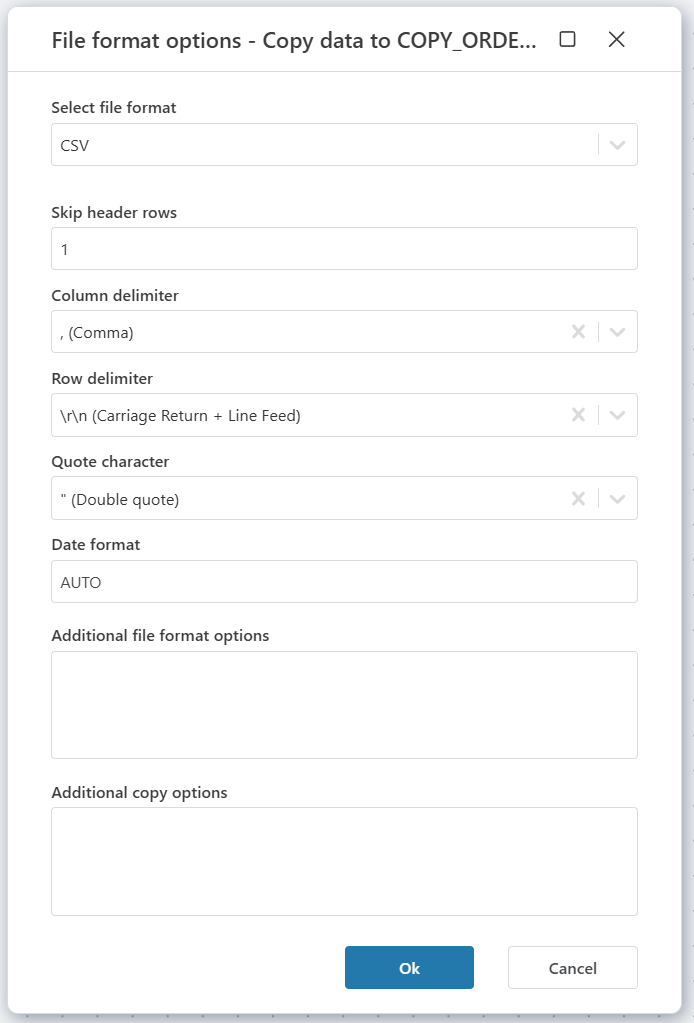
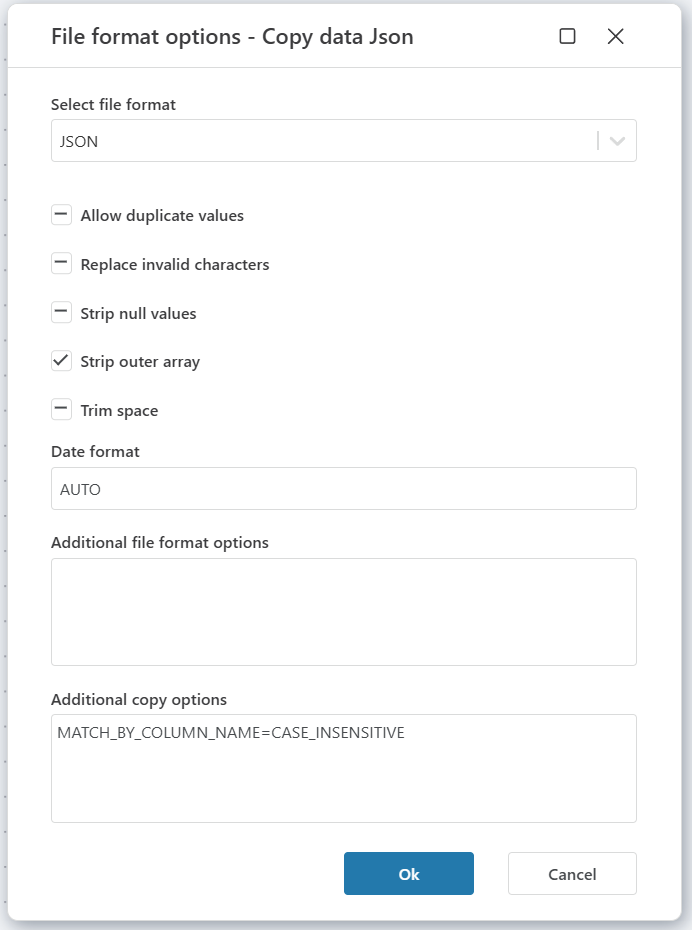
| File format settings | Yes | The file type (CSV, JSON, or Parquet) and its parsing options. Settings vary by format — see File format settings below. |
| Destination table | Yes | The Snowflake table to copy data into. You can select an existing table or enter a name. |
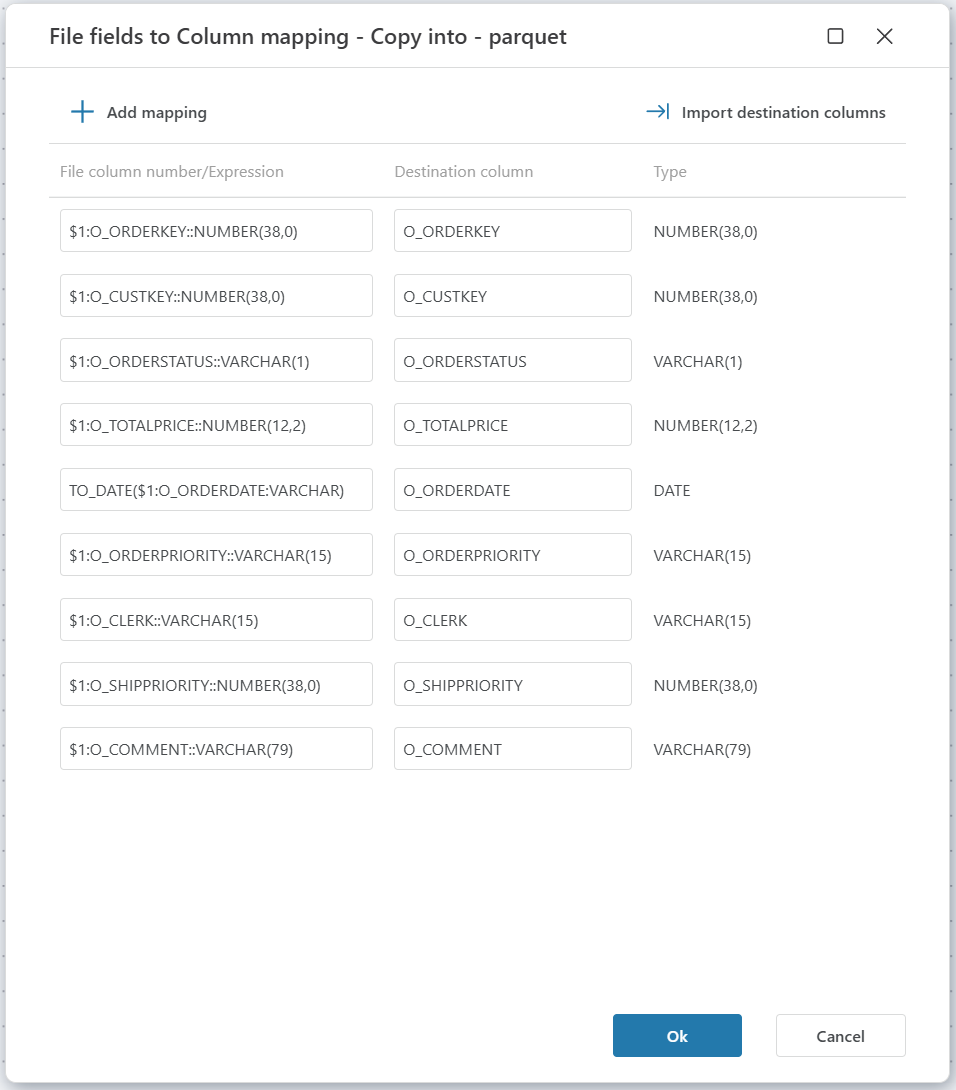
| Transformation/mappings | No | Maps file fields to destination table columns. Required when using Parquet format. |
| Result variable name | No | Stores the number of inserted rows for use later in the flow. |
| Description | No | Notes about this action's configuration. |
Returns
Integer Int32 — the number of rows successfully copied into the destination table.
File format settings
The available settings depend on the file format you select.
CSV
JSON
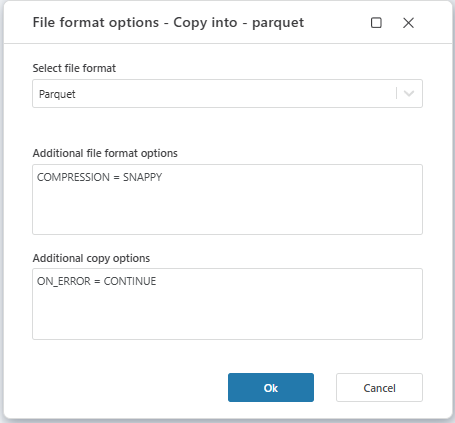
Parquet
Warning
Parquet requires transformation mappings. When using Parquet format, you must configure the Transformation/mappings property to specify how Parquet columns map to the destination table.