Web search
Returns a Tavily Web search result.
This action performs a Tavily search and exposes a searchResult variable containing an optional Answer property and an Items array.
Use this action when you need to process the result of a web search.
Example 
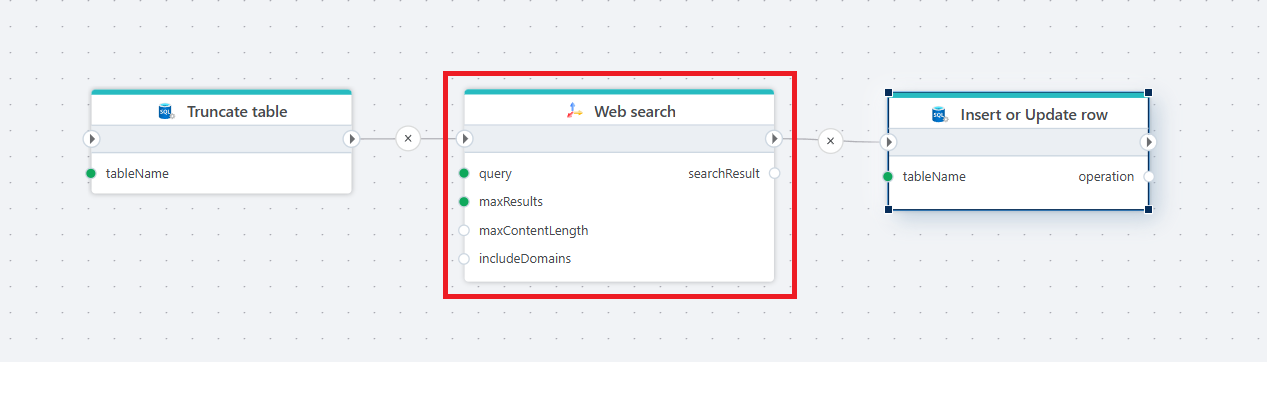
This Flow uses a Truncate table action to clear old data, perform a web search using the Web search action, and then uses the Insert or update row action to store the search result in a database table.
Properties
| Name | Required | Description |
|---|---|---|
| Title | No | The title of the action. |
| Connection | Yes | Tavily connection used for executing the query. |
| Query | Yes | The text-based search query used to retrieve results. |
| Max results | No | Limits how many results to retrieve and iterate through. |
| Max content length | No | Maximum amount of page content to fetch per result. |
| Include answer | No | When checked, the action attempts to retrieve a direct answer from the search. |
| Extract full content | No | When checked, the tool attempts to retrieve full page content. |
| Include domains | No | Semicolon-separated list of domains to include in the search. |
| Request timeout (seconds) | No | Timeout for the search request. Default is 30 seconds. |
| Search result variable name | No | Name of the return variable (default: searchResult). |
| Description | No | A description displayed in the designer. |
Returns
Returns a WebSearchResult object with four properties.
| Name | Description |
|---|---|
| Answer | The summarized answer retrieved from the search, if available. |
| Items | Contains a list of search result items. These items has properties called Title, URL, Score, Snippet and FullContent (extracted raw content (if enabled)) |
| IsSuccess | Indicates whether the search was successful. |
| ErrorMessage | Contains error message if the search failed. |