Azure Event Hub trigger
When a new message arrives in the Azure Event hub, the trigger detects it and starts the flow to process or handle the message as needed. This is useful for automating workflows that depend on incoming messages from Azure Event hub.
Example
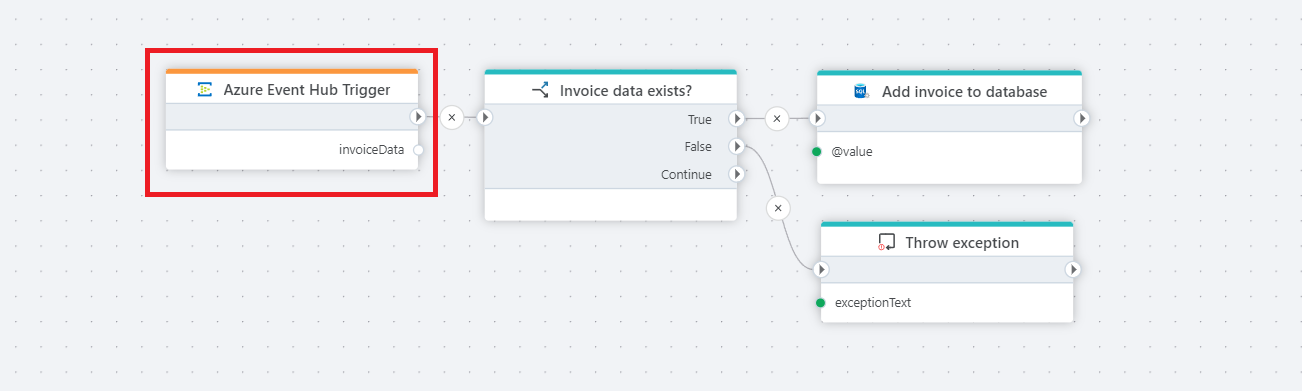
This Flow listens for invoice messages arriving in an Event Hub.
If the message contains invoice data, it’s added to a database; otherwise the Flow throws a controlled exception.
Properties
| Name | Required | Description |
|---|---|---|
| Title | No | A descriptive label for the trigger. |
| Event Hub connection | Yes | Azure Event Hub connection used to authenticate and connect to the service. |
| Blob Container connection | Yes | An Azure Event Hub connection. |
| Polling frequency | No | Interval or schedule for how often the trigger checks for new messages in the topic. |
| Checkpoint batch size | No | Specifies the number of received event before updating the checkpoint. |
| Consumer group | No | Specifies the name of the consumer group used to read the events. |
| Partition | No | Specifies the ID of the partition from which the event are read. |
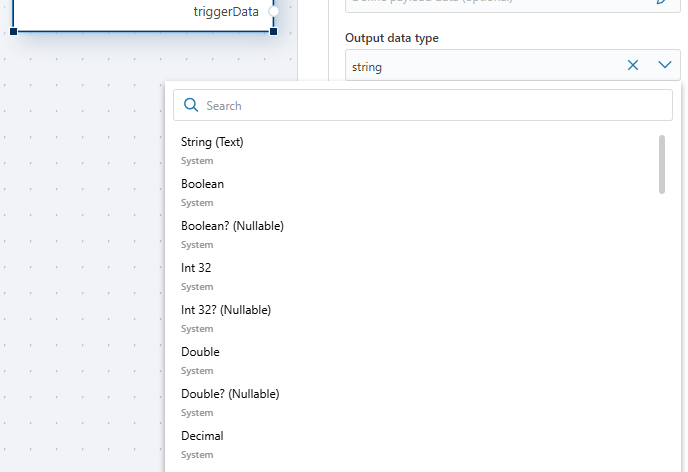
| Output data type | No | Specifies the format of the trigger's output data (e.g., JSON, XML). |
| Ouput variable name | No | Name of the variable where the trigger's output data will be stored. |
| Disabled | No | Boolean value indicating whether the trigger is disabled (true/false). |
| Description | No | Additional notes or comments about the trigger's purpose or configuration. |
Returns
This trigger returns a single variable with the specified name and Output data type.