Planner
Profitbase Planner is a financial planning tool for annual budgeting and rolling forecast processes. It combines configurable input modules, a finance simulation engine, and detailed reporting to deliver accurate balance sheets and cash flow projections.
Key areas
- Finance Settings — financial settings and assumptions
- Input Modules — convenient input for year and/or period planning
- Finance Reports — inspect results from simulation
- Finance Simulation — scenario planning with "best" and "worst" case results
- Operation Manager — run and schedule data processing flows
- Data Management — exchange rates, dimensions, and transaction tables
- Administration — user access and module configuration
How the interface works
Profitbase Planner is organized into Workbooks, accessible through a side menu. Click the hamburger icon in the upper left corner to open navigation.
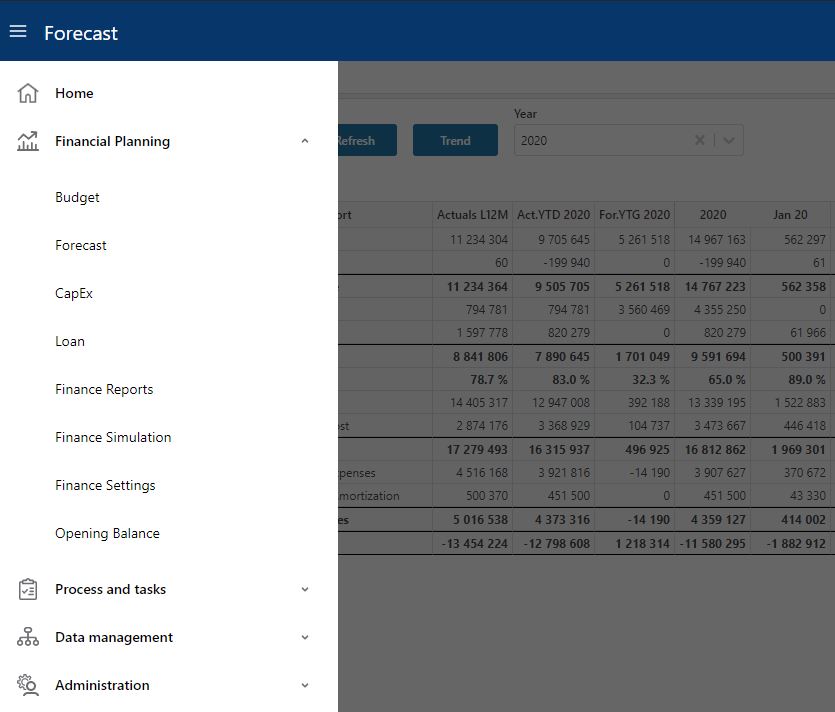
The menu reflects the work processes (budget, forecast, etc.) and versions you have created. Each version is a self-contained mini solution with its own data and workbooks. The workbooks and data you see depend on your user role — you may only have access to a subset of the full menu. This documentation covers all workbooks regardless of access level.
Note
Applies to Planner 5 or later. Different work processes can be defined, such as budget, forecast, and similar. For each work process, one or more versions can be created.
Input modules
The success of a rolling forecast solution depends on how easy it is for users to provide input. Planner offers a rich set of modules to cover everything from simple on-account input to complex driver-based planning:
- Input on Account — traditional account-level input, straightforward for finance users
- Payroll — input by employee or category, headcount, full-time percentage, and benefit costs
- CapEx — investment planning
- Loan — loan planning including ongoing loans
- Driver Based — model income and costs from a single driver such as quantity sold (Planner 5+)
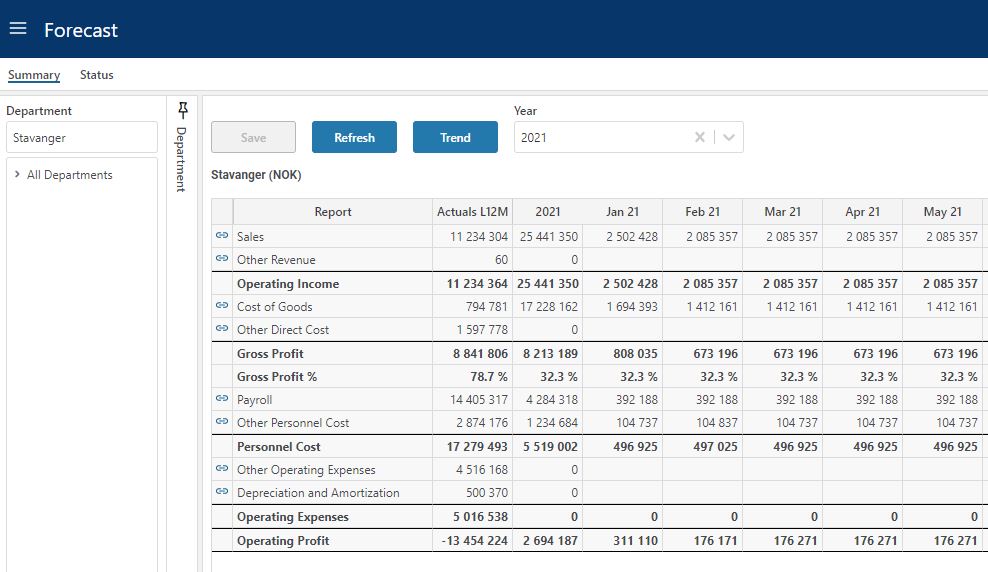
All input modules are optional, configurable, and can be launched from the profit and loss summary report.
Example: driver-based input
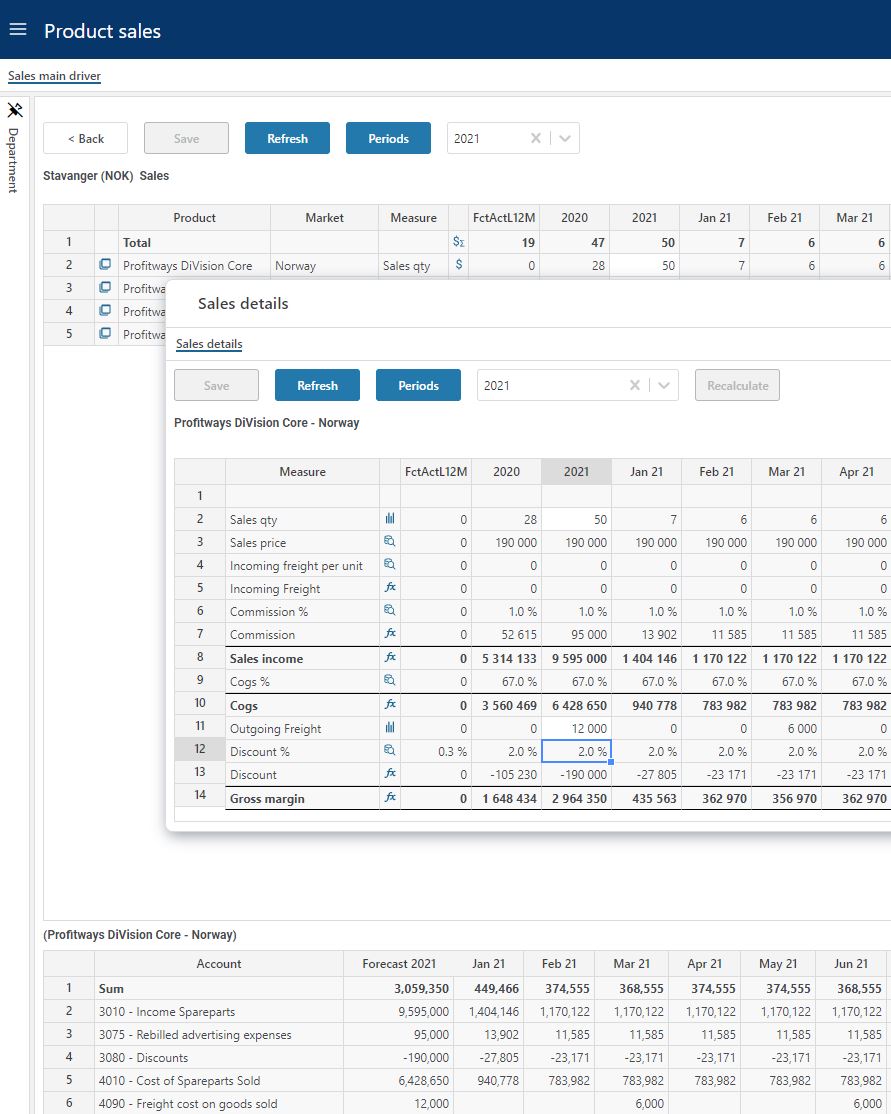
The driver-based module shows the quantity driver at the top, which controls calculations below. Users can add detail-level adjustments in the middle section. The bottom table displays results posted to financial accounts.
Planning and simulation workflow
Input combined with finance settings controls the outcome of the finance simulation engine, which calculates balances and generates accurate cash flow. You can also run scenario simulations to explore best-case and worst-case results. Results can be inspected in Finance Reports or exported for use in external reporting tools.
Profit and loss summary
Cash flow report
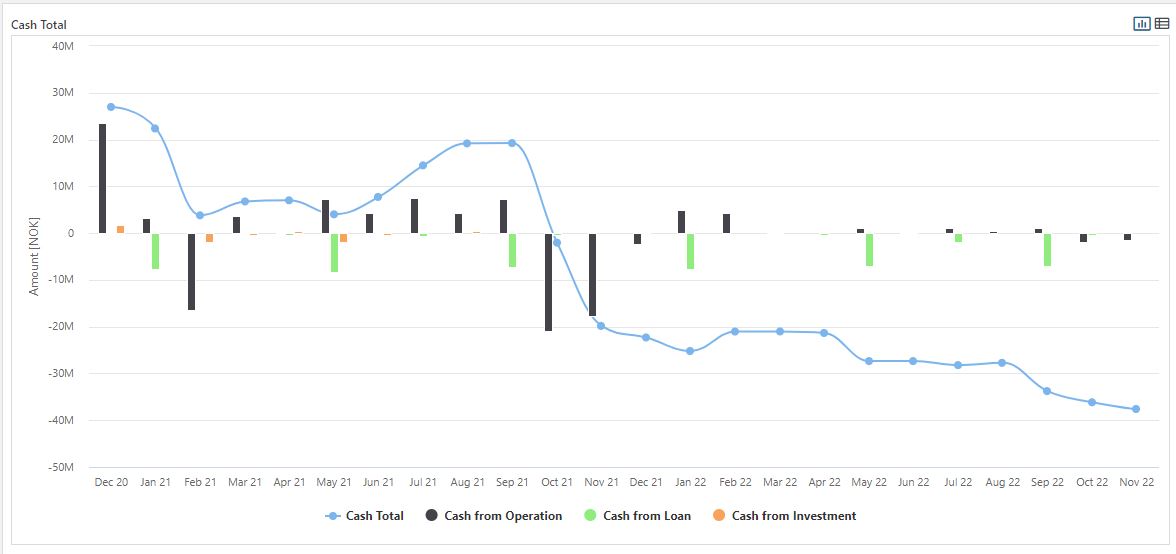
Simulated cash can be broken down by operational activity to see the effects of VAT terms, vacation pay terms, and other factors on liquidity.